
beton product newsletter
2025-02-25: huge release – mcp, redesign,

hi, it’s Vlad, founder of Beton
this update covers a humongous release; nothing much besides that as our Claudes took us closer to making Beton a plug-n-play revenue analyst
what’s inside:
simplified yet more detailed onboarding
firecrawl integration
MCP for your AI agent
Intercom
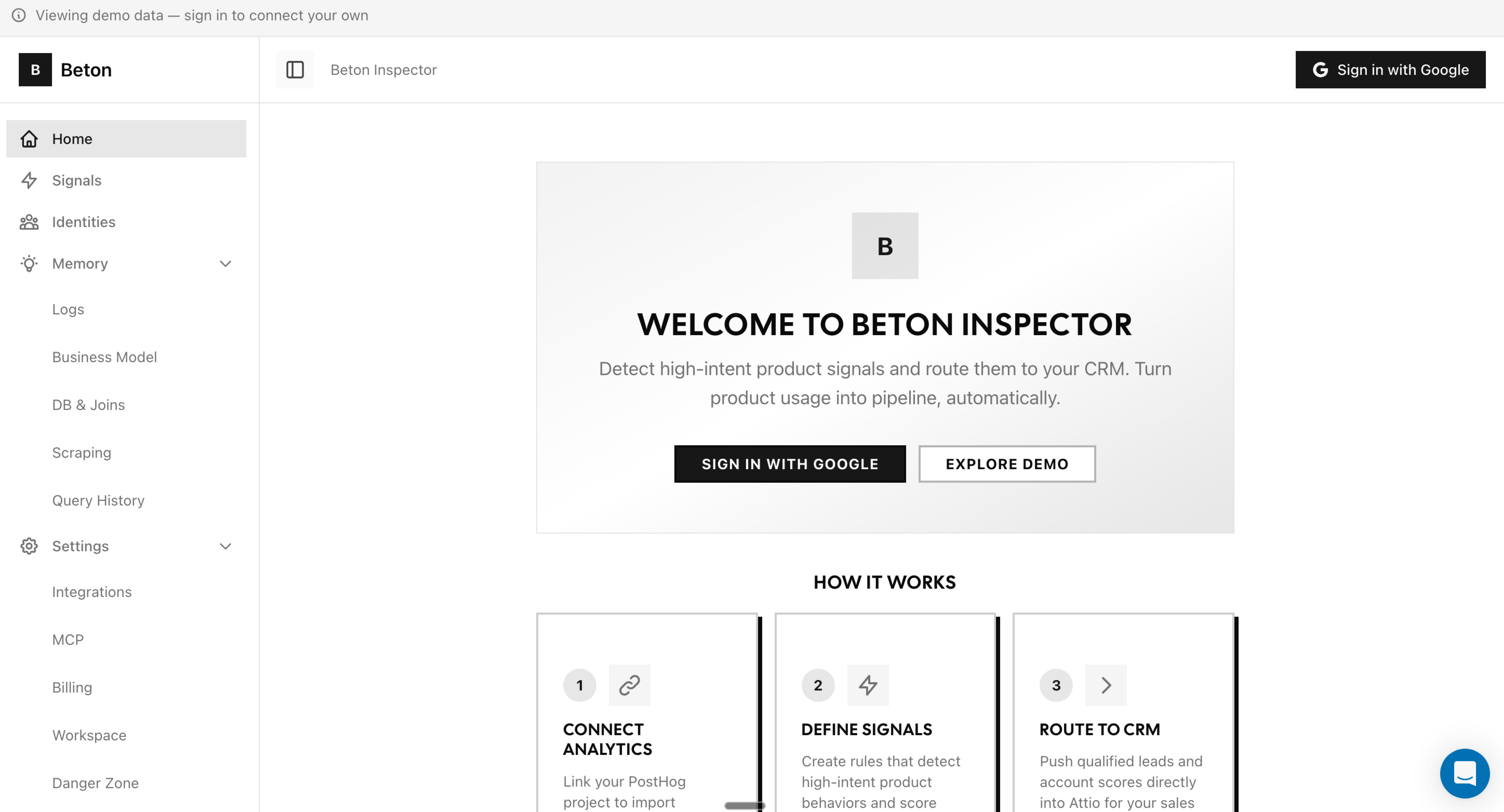
a full visual overhaul
the release is live in production. let’s go through it, but first – subscribe if someone has forwarded this to you:
neo-brutalist design inside the app
the landing pages have had the thick borders, flat colors, and monospace type for a while. now the entire app matches
app now looks like landings — not a generic dashboard with a branded landing page
firecrawl integration
we saw LLMs work better when given a dedicated scraping/crawling tool
it seems more context about upgraded or closed/won customers will help Beton’s agent choose signals better
so, you can now connect a Firecrawl instance
bring your own API key or turn on cloud spend – already in Settings
once we teach our agent to use it, it will
look at what a company actually says on their website
cross-reference it with their product usage patterns
give you a fuller picture of intent
try before you buy
we’re doing a lot of Posthog these days and we saw how confused the early users were
the old flow was:
sign up
→ stare at empty screens
→ (not) figure out which API keys go where
→ give up
we’ve changed the app to solve this. the new flow is:
land on inspector
→ see everything working with demo data
→ decide if you want it in couple of clicks
every screen works in demo mode. no login, no credit card, no PostHog key required
there’s a “Demo Mode” badge so you know you’re looking at fake data, and a login button on every screen for when you’re ready
after you sign up, setup is a 6-step wizard:
PostHog connection,
Attio API connection,
field mapping – so you set up how your Beton generated deals will look like,
your domain,
billing,
Firecrawl – optional step, will be more useful in 1-2 weeks
if you’re self-hosting with
AUTH_BYPASS=truein env vars, you can skip any step
I tried as much as I could to drop some UX sugar. these were small things that saved me a lot of back-and-forth in other SaaS I use
let us know if UI is still confusing
your AI agent can talk to inspector
inspector now ships with a full MCP server — 18 tools covering accounts, signals, CRM mappings, billing, everything
go to
/settings/mcpcopy the JSON config
paste it to your agent – and it’s connected
the MCP settings page has four tabs:
Setup & Installation — server URL, auth config, one-click install snippets for popular agents
Methods Reference — all 18 tools documented, split into read-only and write/mutate, grouped by category with parameter docs
Connected Sessions — see which agents are currently connected, with a detail sheet for each session
Request Logs — filterable, paginated log of every MCP request hitting your instance
new navigation
the sidebar went from a flat list to a proper nested structure:
Home

Signals

Identities

▾ Memory

    Exploration Logs

    Website Assumptions

    DB Structure

▾ Settings

    Integrations

    Billing

    MCP

    API Keys

    Workspace
sections are collapsible, state persists across navigations, and deep-linking auto-expands the right section
settings is no longer one massive page — each section is its own route with a secondary sidebar nav
agent linked
fixed a bug with display of what agent has found about your company and DWH data model
Intercom
now all visitors of our website and app can write to us via Intercom chat. pinky promise to reply quickly
what’s shipping next
we’re staging a few more things that didn’t make this cut:
manual signal creation — define your own signals with a real event picker powered by events in your PostHog instance. we will already track it
unified detection cron — a refactoring that simplifies our backend. one job that runs all your signal definitions (built-in + custom), evaluates them via HogQL against PostHog, and pushes matched deals to Attio automatically
Slack as a destination — Slack app as Beton signal destination, simple as that
PostHog insights for the agent — API routes for the agent to read your PostHog insights directly & learn what you already measure
thanks for reading this, that means a lot. be sure to subcribe to us on LinkedIn and X